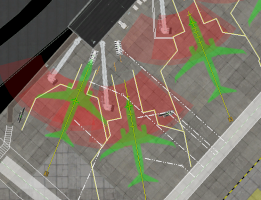
Ramp Starts Tool
Ramp Starts
The Ramp Start tool specifies where aircraft park, for both User/AI aircraft. Ramp starts are available for Users to select from within X-Plane; however, they are also available to X-Plane to optionally and randomly place an AI aircraft there and have aircraft taxi to them. Ramp Starts are placed by a click-drag operation, dragging in the direction you want the nose of the aircraft to point. Once placed, there are five settings available to configure. These settings help X-Plane populate airports with more realistic AI aircraft. Note that if you are importing an airport authored with an earlier version of WED, use the “Airport > Upgrade Ramps” menu option to automatically convert old style ramps to the newest format.
| Attribute | Description |
|---|---|
| Name | The name of the starting position shown in X-Plane's STARTS menu for users to select. |
| Ramp Start Type | • Misc - Only avail to user aircraft, not AI. This is the default type. Affected by wind physics. • Gate - Available to both AI/User aircraft. Allows for Pushback service and jetway alignment. • Tie-Down - Available to both AI/User aircraft. Affected by wind physics. • Hanger - Only avail to user aircraft, not AI. Not affected by wind physics. |
| Equipment Type | Tells X-Plane what class of AI aircraft can park here. You don't want AI General Aviation aircraft located at Airline gates, nor airliners on the GA ramp, etc. NOTE: More than one type may be enabled from the menu. A checkmark will be next to each enabled type. |
| Size Type | Changes the Preview icon size, which is a visual aid. You should not place any objects or service equipment overlapping the aircraft icon. Leave room around the aircraft to avoid ground vehicle animation issues. Use the Taxi-Routes attribute filter for cleaner visual feedback. |
| Ramp Operations | Used to tell X-Plane what kind of ground support equipment the aircraft may use when ground services are called. |