Jetway Configuration
X-Plane 12 has built in support for animated jetways that can move and dock with the user’s aircraft boarding doors. These jetways in WED are implemented via Open path facade segments with specific wall types configured in a specific order.
There are four categories of walls segments as shown below.
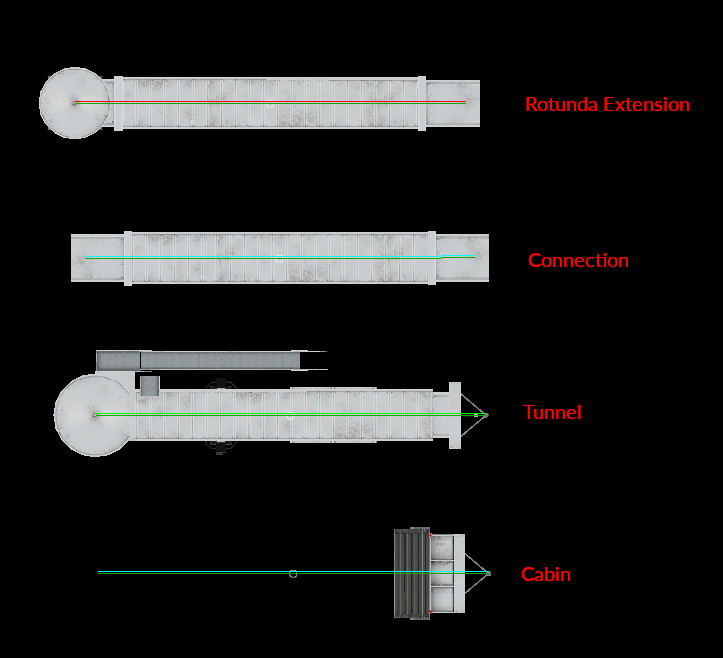
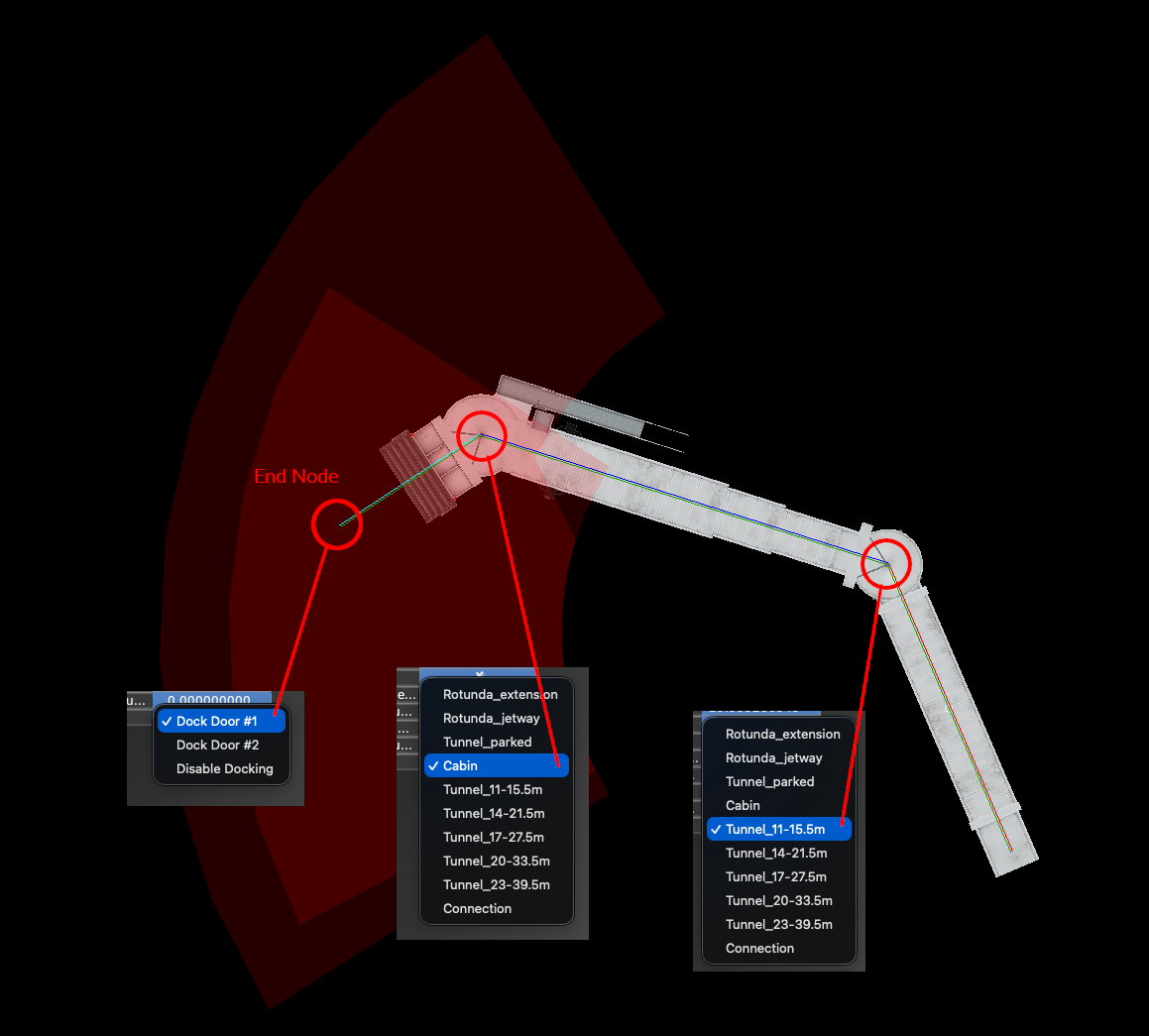
In order for a jetway to automatically be animated, then three NODES must be configured in the sequence shown below. The end node must be configured as a DOCK DOOR, then the next node must be configured as a CABIN and the third node must be configured as a TUNNEL. There are two dock doors available. Dock door #1 is for a forward cabin door and dock door #2 is for an aft cabin door. Any segments required beyond the TUNNEL segment is usually configured as a Rotunda Extension, which are only generally needed on very long jetways.
If your jetway is animatable, then WED will show you its range of animation with colored arcs.
Heuristics
- For an animatable jetway:
- End point MUST be a Docking Door
- Cabin node must precede Docking Door
- Tunnel section must precede Cabin
- Sequence is: Docking door > Cabin > Tunnel > Rotunda Extensions
- Tunnel types have Stairway to Cabin,
Adding Animated Jetways
Sceneries require new data to specify where those are. In most cases the upgrade is as easy as opening the existing X‑Plane 11 scenery in WED 2.5 or newer, changing the “Target X‑Plane Version” to X‑Plane 12.00, and exporting the scenery again.
Animated jetways are shown with a red arc that indicates the area where an aircraft’s door must be located for the jetway to be able to dock with it.
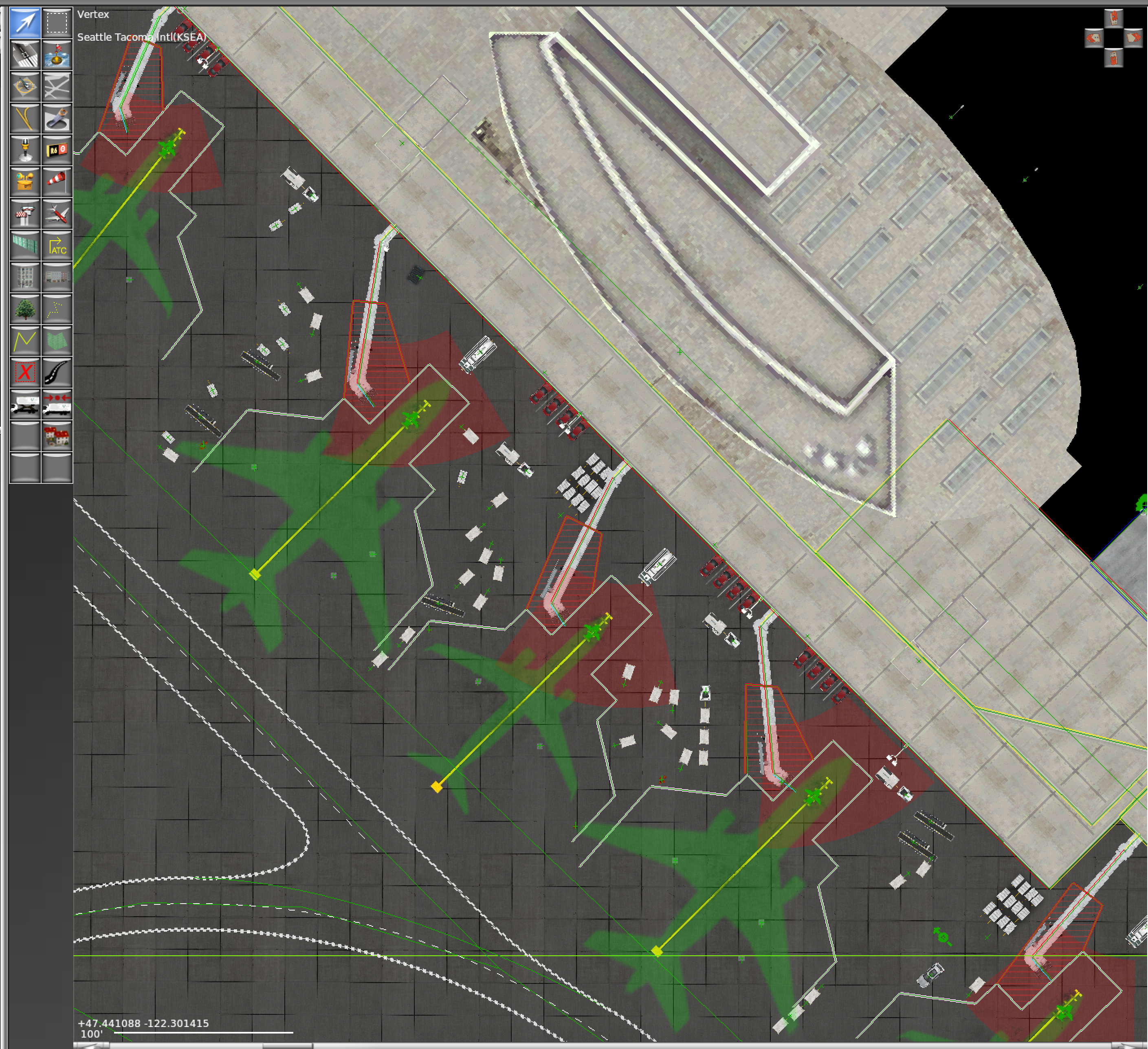
When drawing new jetways from scratch, WED knows to set the correct wall types to form a proper jetway. When the jetway is drawn starting from the aircraft side, the cabin, tunnel and any more extensions are all preset as needed. In order to get facades to turn into auto-docking jetways there must be a cabin and a tunnel chosen, in that order, on the right end. Watch for the red arc to confirm your jetway will become auto docking.