X-Plane Base Scenery
In the previous Overview Section on Base Scenery, we mentioned that Base Scenery is auto-generated scenery that X-Plane generates from large bulk datasets. There are many components and data-sets layered together to make up the Base Scenery, and these are quite technical and cryptic in their implementation and not suitable for laymen discussion here; however, we will discuss one Base Scenery entity here because the topic comes up frequently with Scenery Authors and that is the Base Terrain MESH.
X-Plane's world terrain data, a.k.a the Base Mesh, is contained in Default DSF files only. The data includes elevation points for latitude/longitude pairs to create a triangulated Mesh covering the limits of the DSF tile. If there is no terrain data for an area of the DSF coverage, then X-Plane renders water at sea level. Note that the DSF specification allows for the specification of inland water bodies like lakes and such, which account for elevation data, whereas "no terrain data" assumes sea-level elevation of water.
An X-Plane installation with no scenery/DSF tiles would be Water World, with airports floating on the water at sea-level. Recalling from the overview section on DSF files that X-Plane only renders 12 DSF tiles a time, X-Plane 'stitches' these 12 DSF Terrain meshes together at their edges so the terrain is continuous with no cracks visible between the individual DSF Terrain meshes.
A representative DSF triangulated mesh for a DSF tile looks as shown below when viewed in 3D (NOTE: Laminar provides NO publicly available tools for viewing DSF Meshes in 3D!)
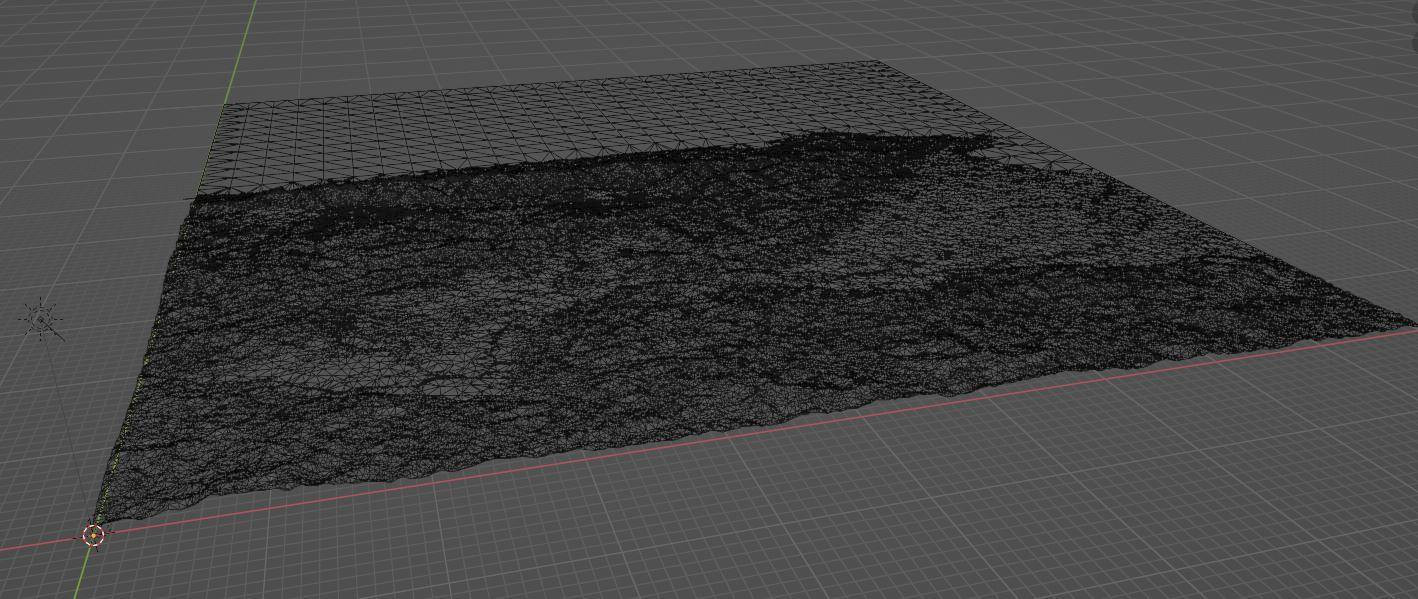
Click to Enlarge
The relevant point to note here for scenery developers is that this Terrain mesh is baked into X-Plane and is not, nor intended to be, editable in WED. It is possible to only view a DSF Base mesh in WED for scenery alignment purposes. To do this you must import the DSF in its entirety into WED first, after which you can view the Terrain Mesh. In WED it looks like so:
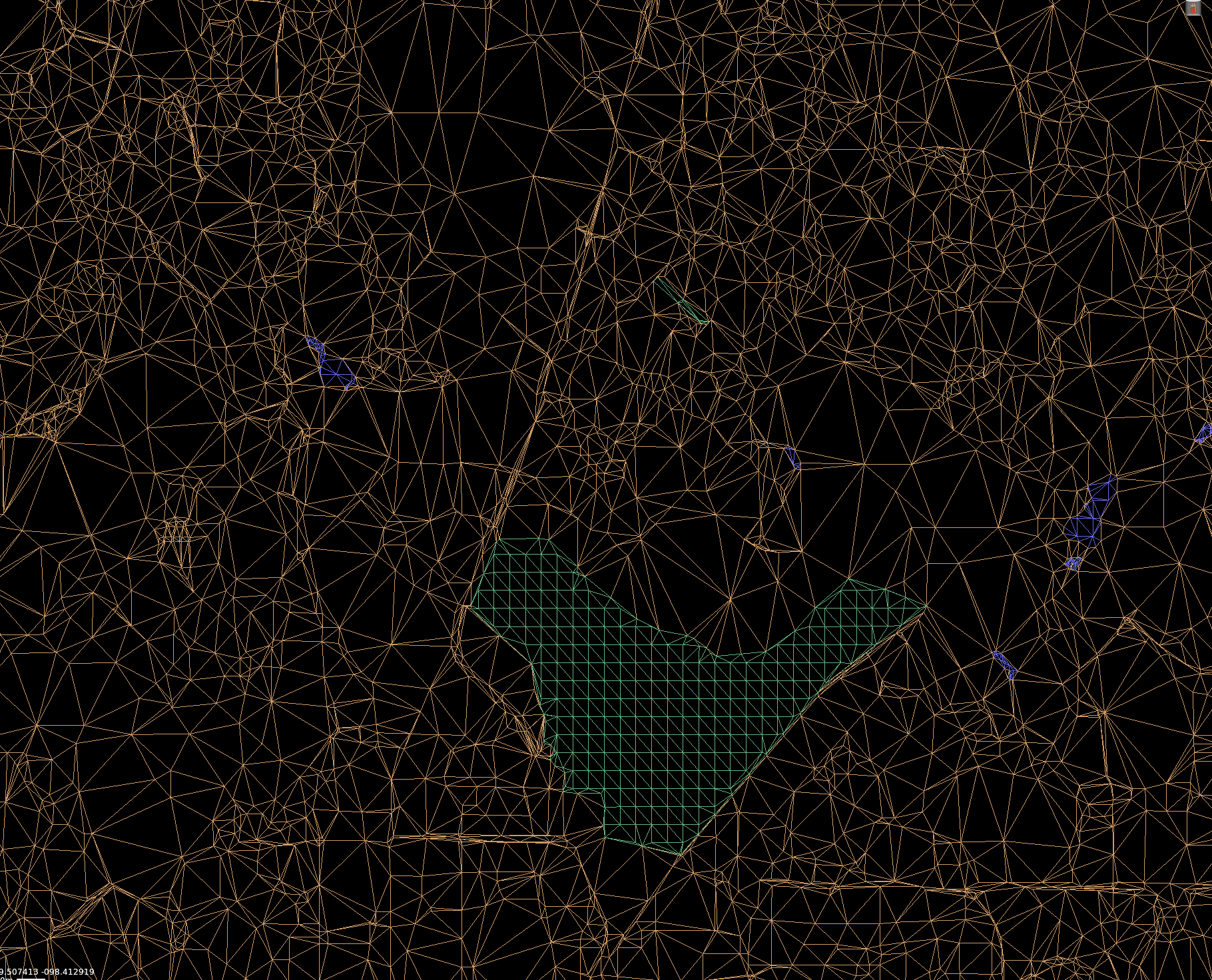
Creating custom DSF terrain meshes IS possible with special developer tools, but you have to create the whole DSF tile at once, you cannot only modify partial sections of the DSF and this type of work generally requires extensive knowledge of GIS data manipulation techniques. The fixed resolution of the Base Terrain Mesh causes problems for custom scenery developers when your local scenery closely interacts with smaller terrain features like ditches, trenches, small hillsides etc, for which the Base Terrain Mesh is too coarse to capture.
Scenery developers do have a few workarounds for ADDING terrain on top of the Base Terrain Mesh, but there is currently no way to Virtually EXCAVATE (Dig out) terrain, so small "negative" terrain features like ditches, eroded waterfall basins, sinkholes and the like cannot currently be modeled.
The first workaround for adding terrain is to create a normal 3D Object to represent the terrain and optionally configure it to be a hard surface if your don't want to be able to fly through it and have it be part of the ground physics model. With this method, the origin of the 3D OBJ and its exact placement in WED need to be closely coordinated.
The second workaround for adding terrain is to use WED's Import Digital Elevation Raster command under the File Menu to create a Terrain Object. Digital Elevation Maps (DEMs) are commonplace in the world of GIS (Geographical Information Systems) processing, so some familiarity with these files may help you locate appropriate one for your needs. Hunting them down for your area of interest is usually a challenge. DEM files are raster (image) files where the pixels represent ground elevation at regular intervals, and hence the data is in a rectangular grid instead of arbitrary triangles as in the DSF files. DEMs come in various resolutions, some as detailed as 1 meter per pixel, which is incredibly detailed. Terrain Objects are really only suitable for smaller, localized terrain features. Because they're OBJs, the do not conform to the curvature of the earth so if you try to cover too large an area, you may get mis-alignements with other scenery elements You can read more about Terrain objects here