Scenery Gateway Airports
The Gateway System
Laminar's Scenery Gateway system is a web-based portal/database that accepts, stores and catalogs airports created using WED and Laminar Library Scenery only. When X-Plane updates are released, it "pulls" all of its airports from the Gateway database and deploys those airports in X-Plane. This means that every time X-Plane is updated, any new and improved airports that have been submitted by users since the previous update are included with the release for all to enjoy. The homepage of the Scenery Gateway looks like so:
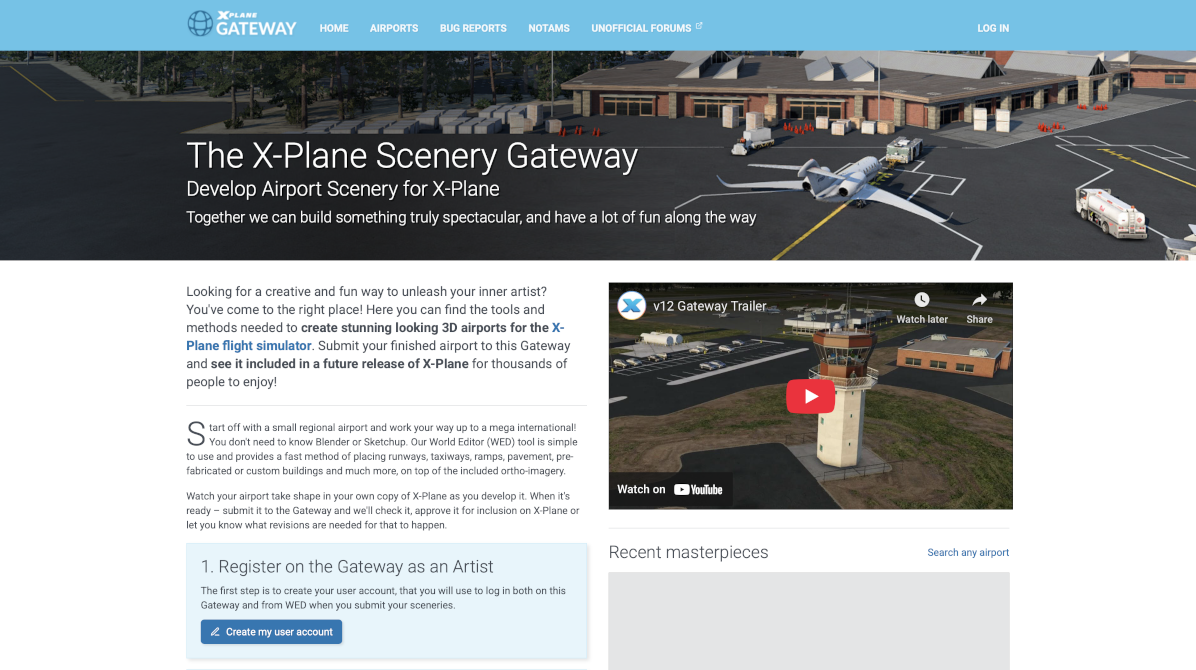
Through the Gateway System, the X-Plane community can benefit from community time to crowd-source scenery creation for X-Plane. The world is a big place with lots of detail, too much for Laminar to create in a timely manner, and who better to create custom scenery for X-Plane than the folks who live in those areas! Laminar provides the tools and art assets and the community (and Laminar artists too) provides the creativity. Gateway Airports are submitted to the portal from within WED itself, via specific File Menu commands. These commands are discussed further in the Menu section of the manual
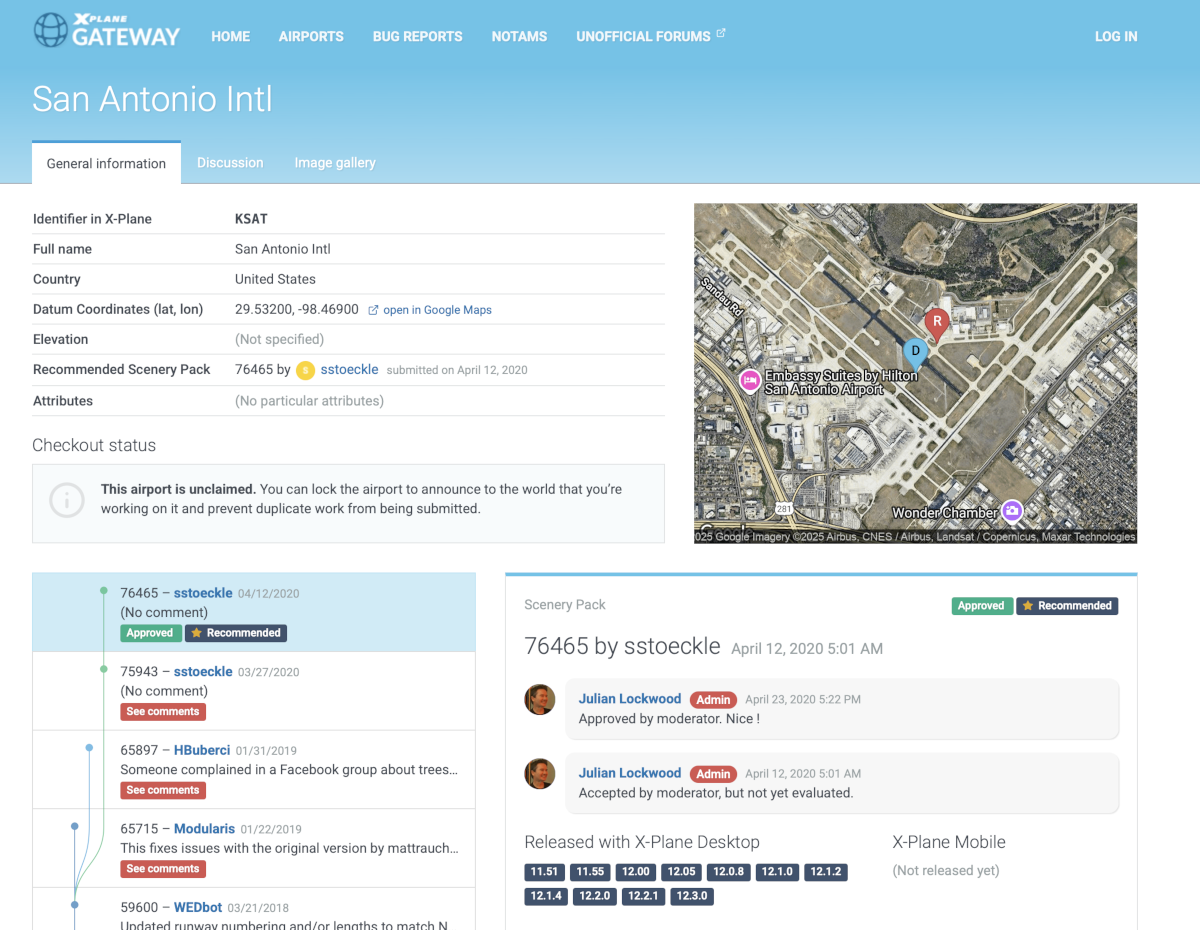
The web portal itself is suitable for registering as a contributor and like any database, is searchable to see the status, history and any comments regarding work done on any specific airports. Gateway airport development, particularly for larger airports, tends to be an incremental effort with continual work and might have multiple contributors. Airport status pages on the portal (example shown below) contain particulars of the development history of the airport. If you want to work on a specific airport and share it, then checking the development status of an airport to see what is or has been done already, as well as by whom, should be your first step. It could very well be the airport has reached a quite mature and complete level of development, with little to improve it.
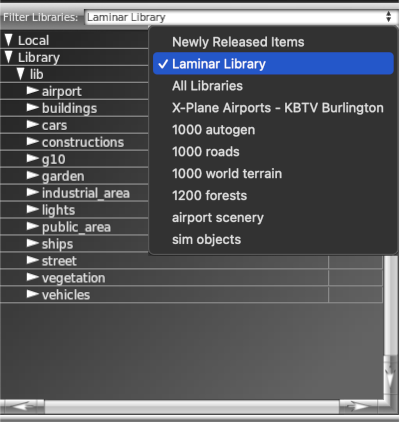
The defining characteristic of a Gateway Airport is that it only contains scenery elements placed from Laminar's default Art Library as shown at right. (Laminar Library). When using WED to create a Gateway Airport, the Local category, which normally contains custom art in a Custom Scenery folder, should be empty.
Laminar's default art library is a large collection of many differing types of art assets located in many differing folders scattered throughout the X-Plane installation. These art assets consists of 3D models, 2D textures and many text specification files. You can think of the Laminar Library as a finite set of Lego® pieces which are used to build your airport, and just like any Lego® set, the more and varied pieces you have to work with, the better! Laminar is continually growing our default library of art assets to give authors more variety and improved quality for scenery. When new default library assets are added to X-Plane, the release notes for the update will indicate so.
Duplication of Efforts
It is very common to have multiple authors work on the same airports. Consider the following scenario. Author A works on some airport in 2021, submits it to the Gateway and it becomes the Recommended Airport (explained below). Afterwards, they no longer update their work for whatever reason. Then in 2023, another author, B decides to improve author A's work on the same airport, so they import author A's work into WED from the Gateway, makes changes and then submits that revised work back to the Gateway, whereupon it then becomes the Recommended Airport. Finally, a third author, C, has been working on his own version of the airport since 2020, and in 2024 decides to submit his work to the Gateway, but its deemed lousy work and does not become the Recommended Airport.
In this example, there were three versions of the same airport that have been submitted to the Gateway, each differing in some capacity. Only one airport can be shipped with X-Plane, not three, so which version gets shipped? Such a determination is made internally by a Laminar moderating team and only one version is selected and is called the Recommended Airport, but the other versions remain in the Scenery Gateway Database just the same.
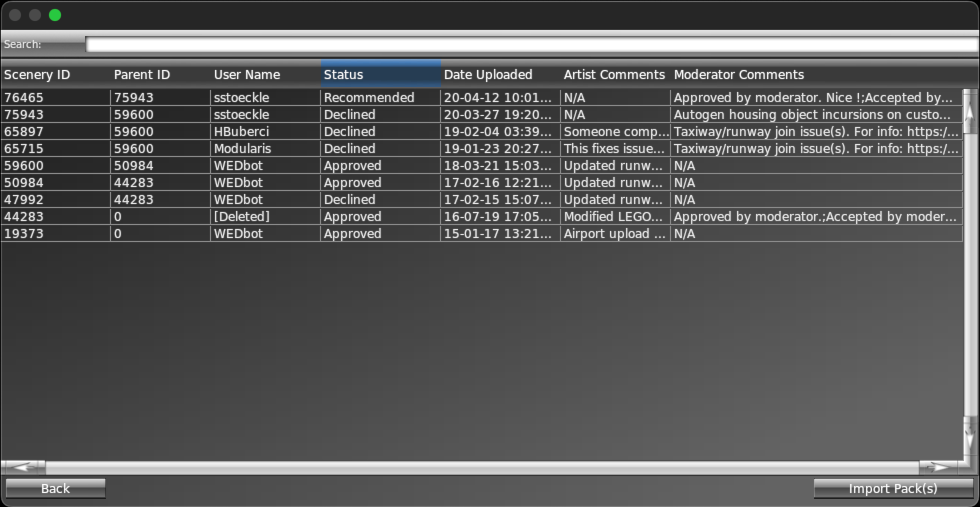
These differing versions of the same airport may be seen in two locations. One, when you import a Gateway airport into WED via the file menu, you will see a dialog like the one shown below, which lists all the versions of that particular airport that are in the Scenery Gateway. The status column indicates which version is the Recommended Version and will be the current version that ships with X-Plane. You may import any available version you like into WED. It could be that you import a Declined version, improve it enough so that it could then become the Recommended airport.
The second location that airport versions are listed are on the airport status pages of the Scenery Gateway website as shown above. The status pages generally contains notes and comments that indicate what kinds of changes and improvements were made for the various versions.
When you see airports with a status of Approved, then this simply means they passed the minimum quality checks for that airport to be rendered and load properly in X-Plane. It does not mean the work is good or accurate. Recommended airports are selected from the available approved airports. As airports are improved over time, older versions that previously held the status of Recommended Airport fall back to Approved status and are kept in the database as a matter of record, or as an optional starting point for work.
You can read more about how to utilize and interact with the Scenery Gateway Portal at The Gateway Website